What makes Quilva unique?
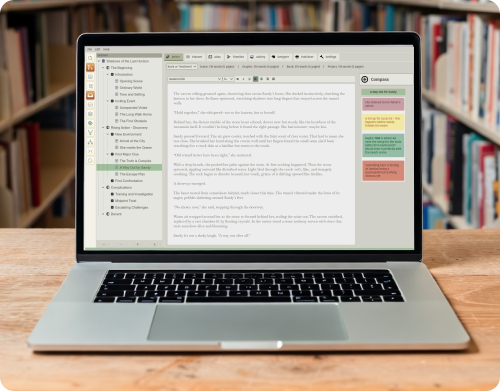
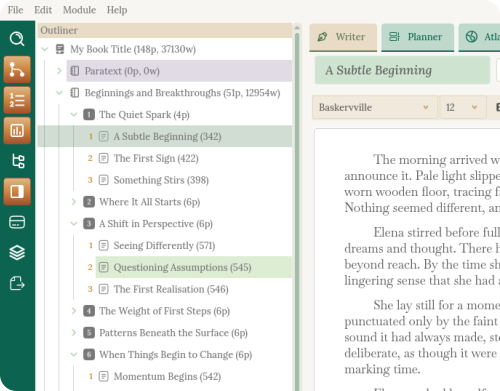
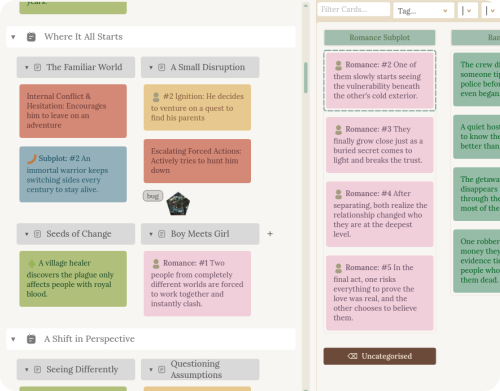
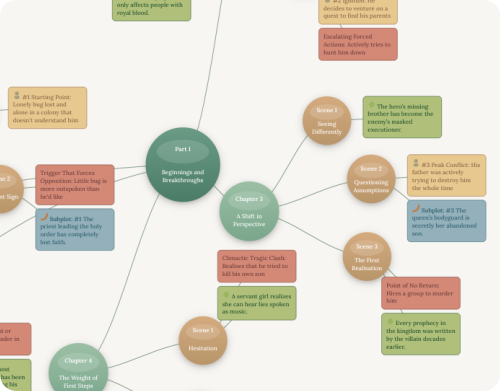
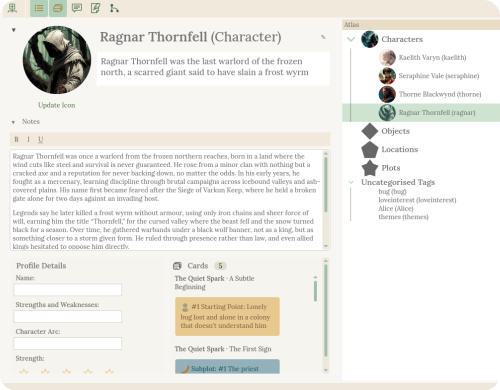
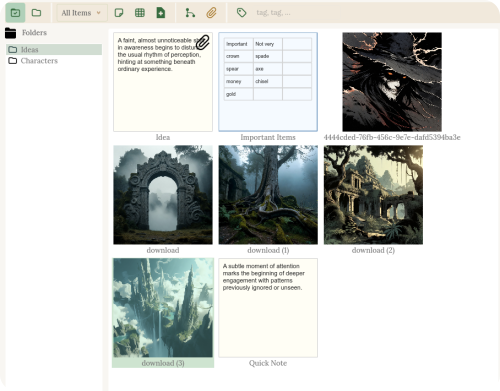
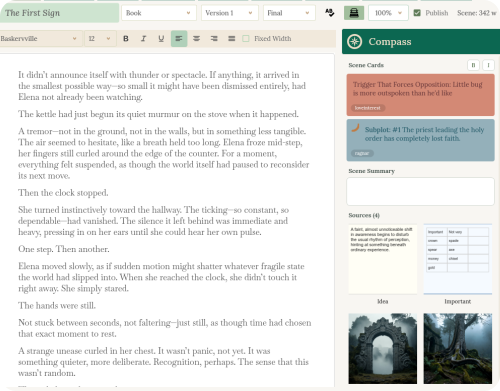
Quilva gives writers full control over planning and production in one place. You get a colour-coded card planner and a strip-based timeline for scenes, subplots, and arcs, plus traditional index cards and outlining tools. Your structure links directly into an integrated Designer and Publisher, so you can shape the look of your book as you write. It's a single, non-destructive workspace that covers planning, writing (books and screenplays), layout, publishing, and even optional authorship verification.
Which operating systems does Quilva support?
Quilva runs natively on Windows, macOS, and Linux. All platforms have identical features and capabilities. We recommend running the demo and/or trial version before purchasing, especially on Linux, where distributions can vary. Minimum 8GB RAM recommended, around 350MB disk space required.
What's the difference between Standard and Pro?
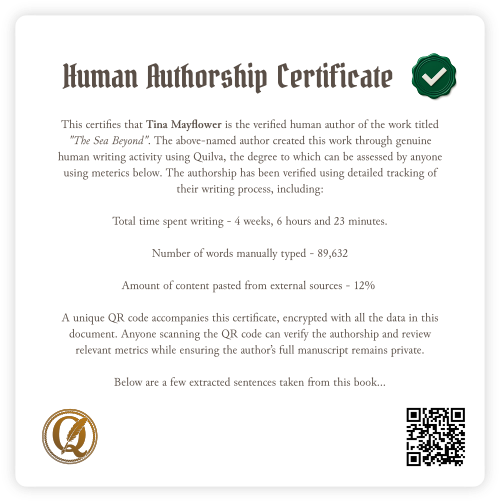
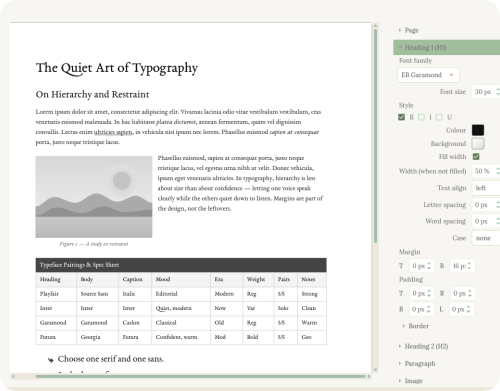
The Standard Edition includes all core writing and planning tools plus a basic Publisher. The Pro Edition adds the Designer for full control over interior design, page layout, and press-ready PDFs. Pro also unlocks Human Authorship Certificates, which the Standard Edition lacks.
Can the Authorship Certificate QR code be cheated?
In short, no — it's not practical. Quilva tracks your real writing habits (how fast you type, pauses, deletions, rewrites, what you wrote yourself vs. copy-pasted) and stores all that data, encrypted, right inside the .qlv file itself. Even we can't read your manuscript — you can prove it by using the app fully offline. When you generate a certificate, only tiny snippets plus the behavioural data get compressed and locked into a QR code. The server is the only thing that can decrypt it. The only way around it would be to slowly re-type the AI-generated book by hand over weeks or months, perfectly imitating real human messiness. So much effort that practically nobody will bother.
Does Quilva work offline?
Absolutely. Quilva is a fully offline desktop app. The website never tracks your writing or personal data, and you can even activate your license without an internet connection. We value user privacy and ownership, which is why there's no subscription. QR authentication was designed around these values so writers can prove the authenticity of their work without storing or sharing it online.
How advanced is the Designer?
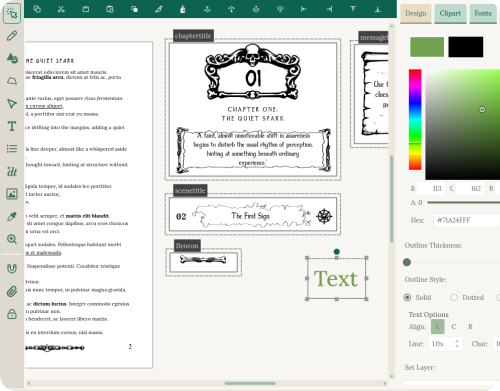
Think of the Designer as a stripped-down version of Illustrator or CorelDRAW, tightly linked to your book's structure. It's not a full replacement for those programs, but it gives writers and self-publishers every tool relevant to book interior design. Because the Writer and Designer are dynamically linked, design changes propagate automatically, and structural changes (adding chapters, reordering scenes) are completely non-destructive to your layout.
How does the Timeline work?
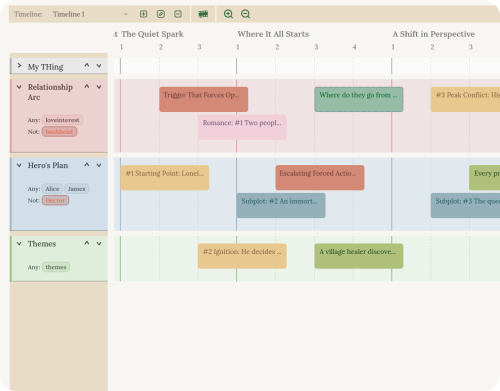
The Timeline displays your story cards on horizontal strips, similar to a video editor. You can create separate tracks for different subplots or character arcs, then drag events to reorder your narrative visually — letting you see your story from new angles or isolate plots for clarity.
Is there a free trial available?
Yes. Quilva runs in a non-expiring demo mode with word count limits and watermarked exports. A free trial license removes these limits for 15 uses, letting you fully explore the Designer and Publisher features of Pro without watermarks. You can get an instant trial key for free on this page.
Can I upgrade from Standard to Pro later?
Yes. You can upgrade any time by paying the difference. Email support with your receipt or current license key and we'll happily assist.
Is there a student discount?
We evaluate free or discounted licenses on an individual basis and have supported people with free licenses before. Write to us about your situation and we'll do what we can. There's no guarantee, but we try to help where we reasonably can.
How do software updates work?
Download and install the latest version from the website whenever you like. Your license includes all updates within the same major version — 1.0, 1.2, 1.4, and so on. These updates are yours permanently. Version 2.0 and beyond would require a new license if you've only bought version 1.
What export formats does Quilva support?
Quilva exports to PDF, DOCX, and EPUB for books, and .fountain and PDF for screenplays.
Can I use custom fonts?
Quilva comes with roughly 200 curated fonts, organised to help you quickly find what you need. You can also add your own — the documentation explains how.
What kind of support is included?
All purchased licenses include email support, usually with a response within 48 hours. Including your license in support emails tends to bump you to the top of the queue.
Can I get a refund?
Because of how our licensing system works, we can't de-activate a license once it's activated — especially if there's a copy running offline. Our demo and free trial allow thorough testing of every feature before purchase, so we don't offer refunds.